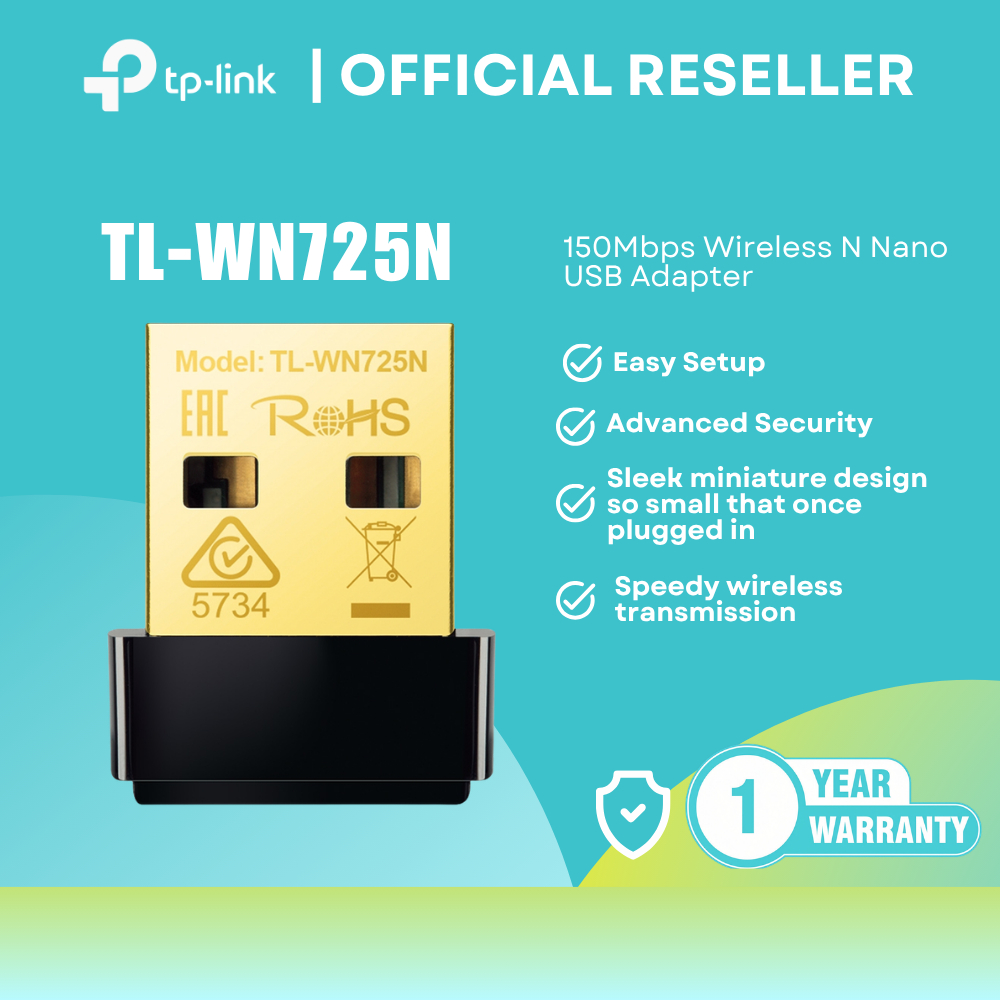


TP-Link TL-WN725 150Mbps Wireless N Nano USB Adapters
🌐 Stay connected with the TP-Link TL-WN725N 150Mbps Wireless N Nano USB Adapter, a compact and reliable wireless networking solution designed for desktops and laptops. Its ultra-miniature design allows it to remain plugged into a USB port without obstructing daily use, while delivering stable wireless performance for browsing, video streaming, and internet calls.
✨ Key Features
🚀 Wireless speeds up to 150Mbps
🔌 USB 2.0 Interface
📏 Ultra-Compact Nano Design
💻 Ideal for Desktop & Laptop Upgrades
📡 Internal Antenna for Stable Connectivity
🎥 Suitable for Video Streaming & Internet Calls
🔒 Advanced Wireless Security Protection
🌍 Easy Setup Utility with Support for 14 Languages
📋 Specifications
🏷️ Brand: TP-Link
🔖 Model: TL-WN725N
📡 Product Type: Wireless N Nano USB Adapter
📻 Frequency Range: 2.400 – 2.4835GHz
🔌 Hardware Features
⚙️ Interface: USB 2.0
💡 LED Indicator: Status
📡 Antenna: Internal Antenna
⚖️ Adapter Weight: 2.1g (Without Packaging)
📏 Adapter Dimensions: 18.6 × 15 × 7.1 mm
📶 Wireless Features
📡 Wireless Standards:
🌟 IEEE 802.11b
🌟 IEEE 802.11g
🌟 IEEE 802.11n
🚀 Signal Rates
🌟 11b: Up to 11Mbps
🌟 11g: Up to 54Mbps
🌟 11n: Up to 150Mbps
🔄 Wireless Modes:
🌟 Ad-Hoc Mode
🌟 Infrastructure Mode
🔒 Wireless Security:
🌟 64/128-bit WEP
🌟 WPA/WPA2
🌟 WPA-PSK/WPA2-PSK (TKIP/AES)
🌟 IEEE 802.1X Support
📡 Transmission Power:
🌟 Less than 20dBm
⚙️ Modulation Technology:
🌟 DBPSK
🌟 DQPSK
🌟 CCK
🌟 OFDM
🌟 16-QAM
🌟 64-QAM
💻 System Compatibility
✅ Windows XP (32/64-bit)
✅ Windows Vista (32/64-bit)
✅ Windows 7 (32/64-bit)
✅ Windows 8 / 8.1 (32/64-bit)
✅ Mac OS X 10.7–10.10
✅ Linux
📦 Package Contents
📡 TL-WN725N 150Mbps Wireless N Nano USB Adapter
💿 Resource CD
📖 Quick Installation Guide
🏅 Certifications
✔️ CE
✔️ FCC
✔️ IC
✔️ RoHS
🌡️ Environmental Specifications
🌡️ Operating Temperature: 0°C to 40°C
❄️ Storage Temperature: -40°C to 70°C
💧 Operating Humidity: 10%–90% Non-Condensing
💧 Storage Humidity: 5%–90% Non-Condensing
⚠️ Reminders:
1️⃣ Please record a full unboxing video as proof in case of issues.
2️⃣ Verify the delivery rider’s ID or take a photo with your payment for security.